
To ensure the scientific quality of the ECS conference, we are constantly updating our reviewer database and increasing our pool of reviewers for all topics.
If you wish to review abstracts for the upcoming conference, please follow these steps:
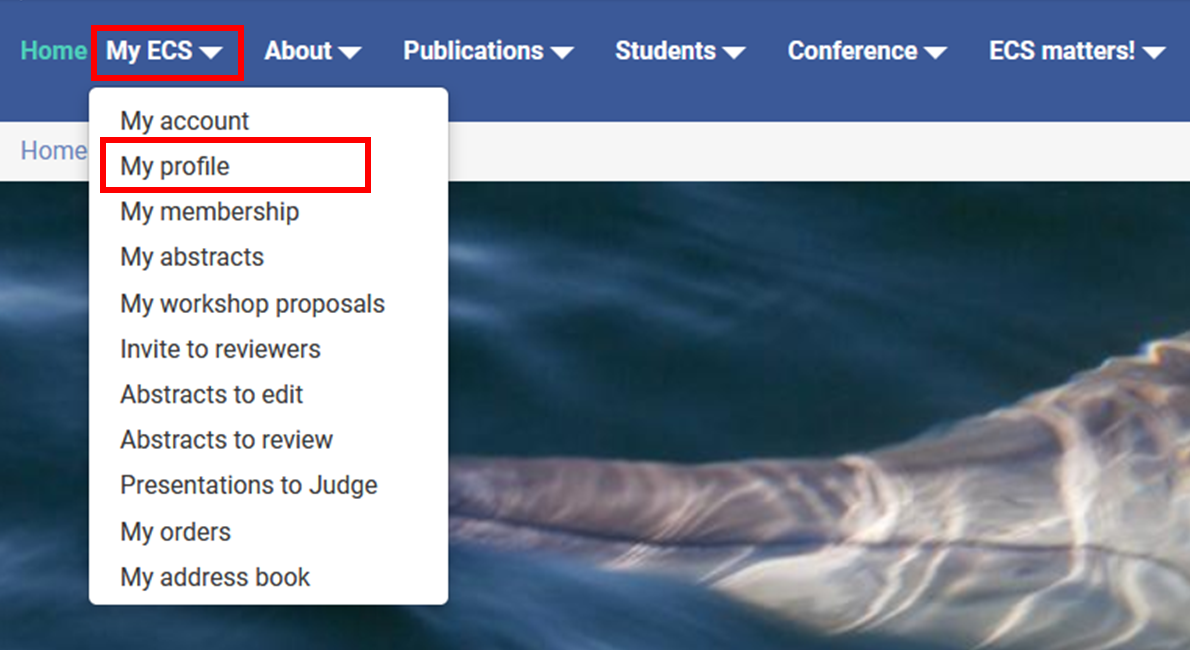
1. Go to your ECS profile or to My ECS > My profile:
2. Check that you have replied "Yes" to the question at the bottom of the page "Would you like to review conference abstracts?"
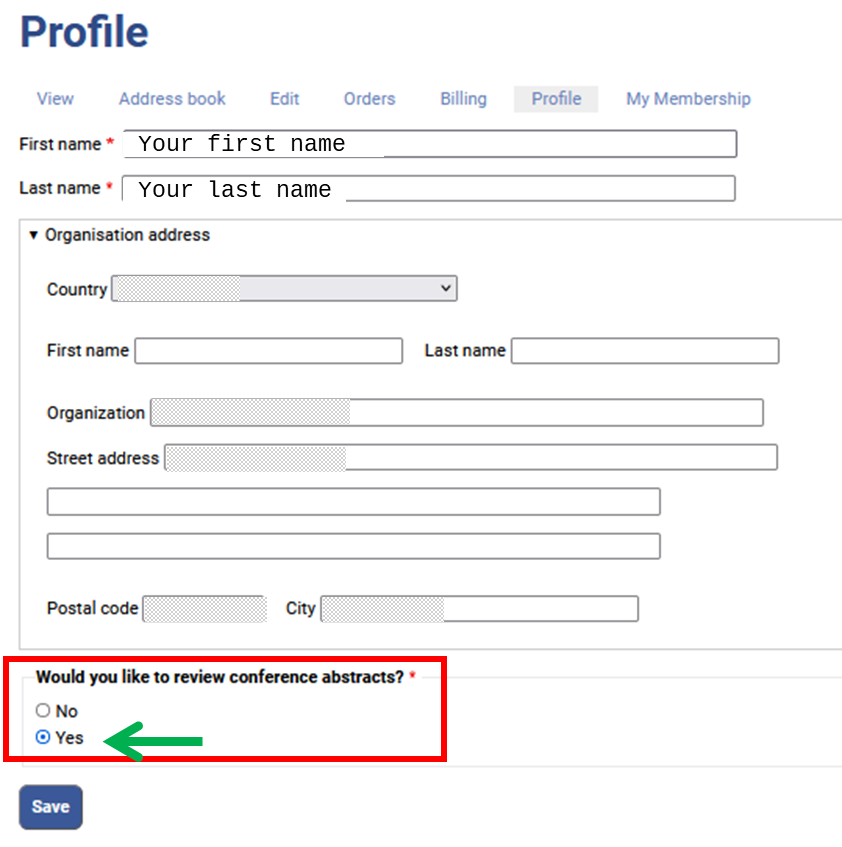
*If you have reviewed abstracts in the last couple of years, you can skip this step.
This is a general statement indicating that you are willing to review conference abstracts.
However, we understand that some particular circumstances (including fieldwork, travels or else) might prevent you to review abstract on a particular year. Therefore, to avoid unnecessary delays in the review process and notifications to authors, for each upcoming annual conference, you will receive a formal invite to make sure that you are available, see below.
3. Confirm your availability to review abstracts for the upcoming conference by responding to the Invite to reviewers or going to My ECS > Invite to reviewers
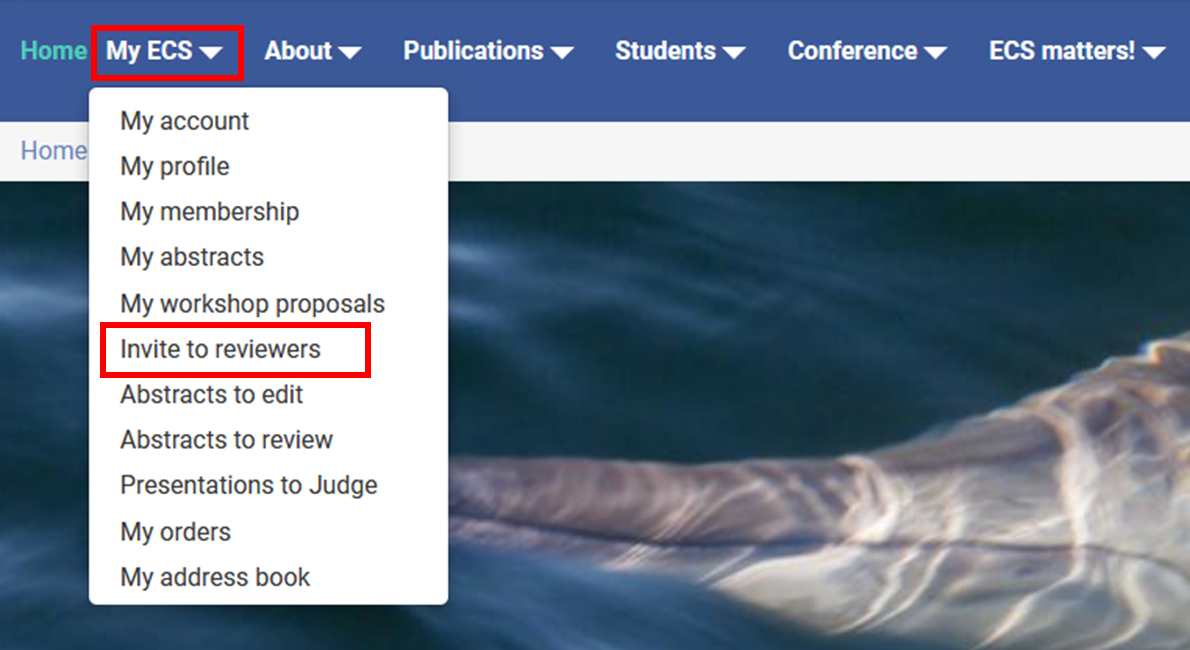
The link will show the question below, choose 'Yes' or 'No' then click on 'Submit'.
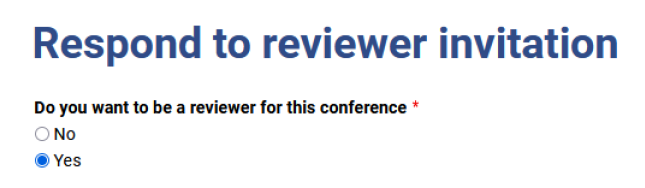
If you choose to ACCEPT (click on 'Yes'), you will be asked a few quick questions (tickboxes). It should not take more than 1 or 2 min of your time.
Remember, this will only accept or reject being a reviewer for the upcoming ECS conference and, regardless of your answer, you will be invited again next year.